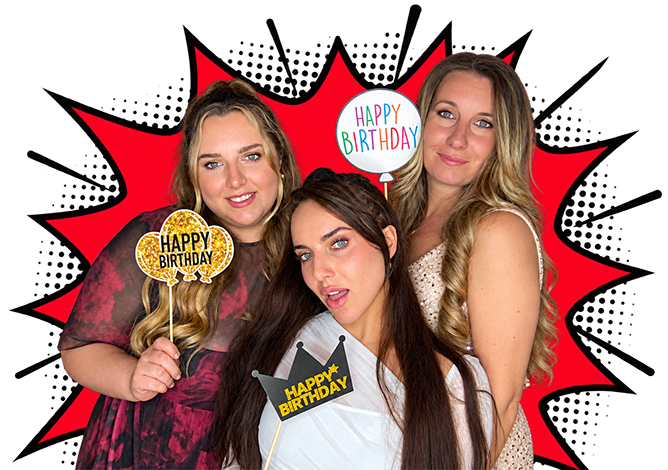
A photo booth gives guests at a Christmas party a shared activity and something to take home, whether that is a set of still photos or a short 360 video, without you having to run the entertainment yourself. If you are looking into Christmas party photo booth hire, this guide helps you plan it well: which booth suits which kind of party, how to fit it around a meal or speeches, what is normally included, and what to tell us when you enquire.
We offer three booths for seasonal and other celebrations in London and Hertfordshire: the Selfie Pod Photo Booth, the Vintage Photo Booth and the 360 Video Booth. If you already know you want a booth for a festive event, our page on Christmas and seasonal party booth hire explains how we work with Christmas, New Year and other seasonal parties.
Which photo booth ideas suit a Christmas party?
Choose by the experience you want guests to have and by the space and running order you actually have. Group photos and keepsakes, a retro look and short moving videos each suit a slightly different party, so there is no single right answer.
Selfie Pod for group photos and tighter spaces
The Selfie Pod Photo Booth is a flexible choice for office Christmas photos and family groups. Guests can send their photos to their phones by AirDrop or QR code during the party.
An attendant is optional rather than required. It also needs less floor space than the 360 Video Booth.
Vintage Photo Booth for a classic party look
The Vintage Photo Booth brings retro styling to the room. It can be paired with a backdrop and with optional prints, so guests have a physical photo to take home at the end of the night. That can suit a more traditional Christmas dinner or a family gathering.
360 Video Booth for moving clips
The 360 Video Booth records short videos as a camera moves around the guests on the platform. Some people search for this as a “360 photo booth”, but the result is a video rather than a still photograph.
It works well when guests have the time and space to join in without clashing with the schedule, for example during the drinks reception or once the dancing has started. An on-site attendant is included with the 360 Video Booth, and it needs more floor space than the Selfie Pod (see the space section below).
Ideas that make the booth feel part of the party
The festive touches that work are the ones you have agreed with us in advance: a personalised layout, a confirmed backdrop or props, and a position guests can find easily.
Personalise the layout. Every one of our booths comes with a personalised photo or video layout. For a Christmas party this could show your company name, the year or a short seasonal message. For an office party, keep any logo readable but modest so the people in the picture remain the focus.
Confirm seasonal items rather than assuming them. Basic card-and-stick props are included with booth hire, and Premium Props (novelty glasses, hats, feather boas and inflatables) are available as an optional extra. Seasonal items and requested designs should be confirmed rather than assumed to be available, so if a particular Christmas look matters to you, mention it when you enquire.
Plan a few group moments. Team photos, table photos and family groups give the booth a natural rhythm through the evening. Keep any prompts optional, so guests who would rather watch are not put on the spot.
Put the booth where people gather. A visible spot near the social space can help guests gather for photos.
If you are organising a company party, our page on photo booths for corporate events covers branding and planning for work events in more detail. Employers running a work party may also find Acas guidance on preventing harassment at work useful background, as it notes that attending an office party can be “in the course of their employment”.
For a Christmas party with family or friends at home or in a hired room, see our page on parties and private celebrations.
How to plan timings around the running order
Book the booth for the parts of the night when guests are able to take part, and share the running order with us in advance.
Office Christmas parties often combine arrivals, a meal, speeches and dancing. A booth placed close to the social space helps colleagues gather for team photos between those moments. If the evening includes a formal awards section, think about whether the booth should run before or after that quieter part of the night, so it does not compete with the speeches.
A few timing points are worth knowing before you choose your hours:
- Hire hours are operating hours. The time you book is the time the booth is running. Setup and takedown are not taken out of the booked slot.
- Packages are listed by the hour. We list packages of two, three and four hours, and longer bookings are quoted on request. The 360 Video Booth has a minimum hire of two hours.
- Match hours to the moments that matter. Look at when guests can use the booth (for example, arrival drinks and the first part of the dancing) and book around that.
- Late finishes need agreeing early. For late finishes or New Year events, share the full schedule and your requested finish time, so that access and collection can be agreed in advance.
What’s included, and what to confirm before you book
Our standard booth hire includes the core capture experience together with delivery, setup and collection. Some extras are charged separately, so check which ones you want before you book.
The inclusions stated on our website are:
- unlimited captures during the booked hire (photos, or 360 videos for the 360 booth)
- a personalised photo or video layout
- basic card-and-stick props
- delivery, setup and collection
- an on-site attendant with the 360 Video Booth (for the Selfie Pod and Vintage Photo Booth, an attendant is an optional extra)
Instant prints, guest books, backdrops, LED lighting, VIP styling and the 360 share station are optional extras, not standard Christmas inclusions. After the event, you receive a link to view and download all the photos and videos.
Before you book, it is worth confirming:
- which booth and how many hours you need
- whether you want prints, a backdrop, Premium Props or other extras
- any seasonal items or designs you are hoping for
- whether you need an attendant for the Selfie Pod or Vintage Photo Booth
- any supplier insurance details your venue asks for
Space, power and venue practicalities
Every booth needs a clear floor area and a nearby power socket, and the 360 booth needs more room than the Selfie Pod. Confirm the position with your venue, and with us, before the night.
Our space guidance is:
- Selfie photo booths: a single nearby power socket and a minimum area of 1 m × 1 m, or up to 2 m × 3 m depending on extras such as a backdrop, props table, VIP rope and red carpet.
- 360 Video Booth: a single nearby power socket and a minimum of 2 m × 2 m, ideally 3 m × 3 m.
For unusual or outdoor positions, such as a marquee or a garden, cover, level ground, access and power all need discussing first.
London venues can bring their own challenges, including loading, parking and lift or stair access. Include those details in your enquiry so they can be checked, rather than assuming every space will work. The HSE’s event safety guidance is a helpful general starting point if you are responsible for running the event itself.
How far in advance should you plan?
We recommend booking as early as possible to lock in your date, and we will try to accommodate last-minute bookings where we can.
The festive season is a popular time for parties, which is a good reason to confirm your date and venue early.
If your party is coming up soon, it is still worth enquiring, although no supplier can promise availability. And if this year’s party is already sorted, the same planning steps apply to a New Year event or next year’s celebration.
Frequently asked questions
How much does a Christmas party photo booth cost?
The cost depends on the booth you choose, how many hours you book and any extras you add. For current packages, see our prices page. Delivery, setup and collection are included. Extras are charged separately. Send your date, venue and preferred booth for a quote.
How far in advance should I book?
As early as possible. We will try to fit in last-minute bookings where we can.
How much space does the booth need?
Selfie photo booths need a nearby power socket and at least 1 m × 1 m, or up to 2 m × 3 m with extras. The 360 Video Booth needs a nearby socket and at least 2 m × 2 m, ideally 3 m × 3 m.
What’s included, and are Christmas props provided?
Booth hire includes unlimited captures, a personalised layout, basic card-and-stick props, and delivery, setup and collection. Premium Props are an optional extra. Seasonal items and requested designs should be confirmed rather than assumed to be available.
Will there be an attendant?
An attendant is included with the 360 Video Booth. For the Selfie Pod and Vintage Photo Booth, an attendant is not required but can be added as an option. If you book both booths, the 360 attendant is also there for the photo booth; your venue just needs space for both booths.
Can guests print or share their photos and videos at the party?
Instant prints (6×4 or 2×6) are an optional extra for the photo booths, not for 360 videos. Selfie booth guests can receive files by AirDrop or QR code. 360 guests can use an optional share station; otherwise they can wait until you receive the link to the full album, or message us on Instagram and we can send the video directly.
Ready to plan your Christmas party booth?
When you enquire, include:
- the event date and venue postcode
- your preferred booth and operating hours
- approximate guest numbers and the running order
- any branding, print or extras preferences
- venue access, setup and collection notes
Read more about Christmas and seasonal party booth hire, then send your details through our booking page. Our team will review them, check availability and send you a quote. Planning a company party? Our page on photo booths for corporate events is the place to start.